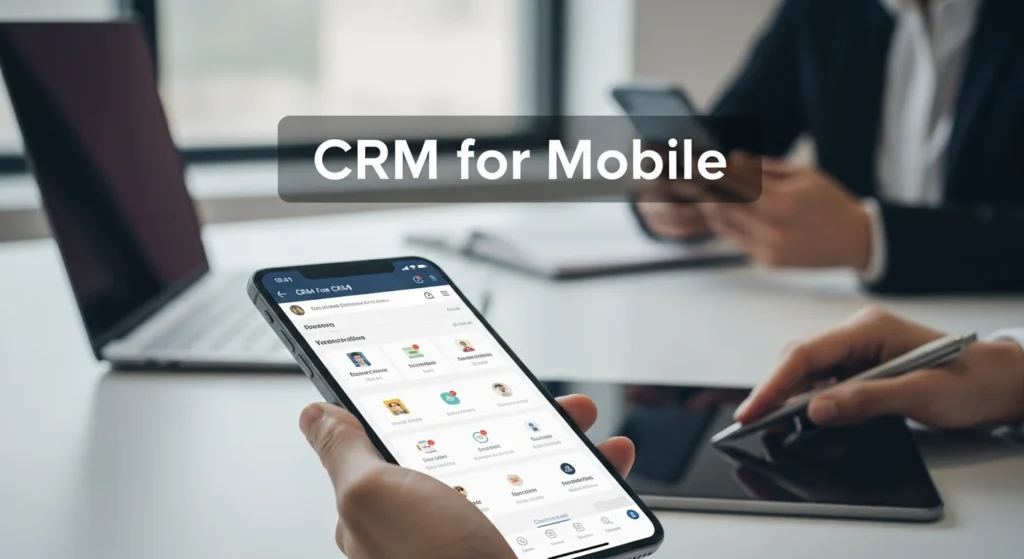
In today’s fast-paced business environment, enterprise tech is evolving rapidly, and CRM for mobile has become a game-changer for organizations seeking to stay competitive. As professionals increasingly rely on smartphones and tablets for work, mobile CRM solutions enable seamless access to customer data, sales pipelines, and communication tools on the go. This article explores how CRM for mobile works, its key components, benefits, and implementation strategies, providing a comprehensive guide for businesses looking to leverage this technology. Whether you’re in sales, marketing, or customer service, understanding mobile CRM is essential for optimizing workflows and driving growth in the digital age.
CRM for mobile works by providing a cloud-based platform accessible via smartphones and tablets, allowing users to manage customer relationships, track sales, and collaborate in real-time. It integrates with enterprise systems, uses AI for insights, and offers offline capabilities, enhancing productivity and customer engagement for businesses on the move.
What Is CRM for Mobile?
CRM for mobile refers to customer relationship management software designed specifically for mobile devices, such as smartphones and tablets. Unlike traditional desktop CRM systems, mobile CRM offers a responsive interface optimized for smaller screens, touch controls, and on-the-go usage. It enables sales teams, marketers, and support staff to access critical customer information, update records, and communicate with clients from anywhere, at any time. This flexibility is crucial in enterprise tech, where real-time data access can make or break deals and customer satisfaction. By leveraging cloud technology, mobile CRM ensures data synchronization across devices, so changes made on a mobile app are instantly reflected in the central database.
Key Components of Mobile CRM Systems
Mobile CRM systems consist of several core components that work together to streamline customer management. Understanding these elements helps businesses choose the right solution for their needs.
- Cloud-Based Infrastructure: Most mobile CRM platforms are hosted in the cloud, allowing secure access via internet-connected devices. This eliminates the need for on-premise servers and enables seamless updates.
- Mobile Apps: Dedicated apps for iOS and Android provide a user-friendly interface with features like push notifications, GPS integration, and camera access for scanning documents or capturing leads.
- Offline Mode: Advanced mobile CRM includes offline capabilities, letting users access and update data without an internet connection, with changes syncing once connectivity is restored.
- Integration APIs: These allow mobile CRM to connect with other enterprise tools, such as email, calendar, and ERP systems, creating a unified workflow. For example, integrating with Oracle ERP Cloud managed services can enhance data accuracy and operational efficiency.
- AI and Analytics: Many mobile CRM solutions incorporate AI for predictive analytics, lead scoring, and automated insights, helping teams make data-driven decisions quickly.
How Mobile CRM Works in Practice
To grasp how CRM for mobile works, it’s helpful to follow a typical workflow from setup to daily use. This process involves configuration, data management, and ongoing optimization.
- Setup and Configuration: Businesses start by selecting a mobile CRM provider, such as Salesforce or HubSpot, and customizing the platform to match their sales processes and data fields. This often includes setting up user roles, permissions, and integration with existing systems.
- Data Synchronization: Once configured, the mobile CRM syncs customer data from various sources—like email, social media, and legacy databases—into a centralized cloud repository. This ensures all team members have access to up-to-date information.
- User Access and Mobility: Employees download the mobile app, log in with secure credentials, and begin accessing features like contact lists, deal tracking, and task management. GPS functionality can enable location-based services, such as mapping client visits.
- Real-Time Updates and Collaboration: As users input data—for instance, logging a sales call or updating a customer’s status—the system updates in real-time, allowing colleagues to collaborate effectively. Push notifications alert users to important events, like new leads or overdue tasks.
- Reporting and Insights: Mobile CRM generates reports and dashboards that provide insights into sales performance, customer behavior, and team productivity. AI tools may analyze this data to suggest next steps or identify trends.
Benefits of Using CRM for Mobile in Enterprise Tech
Adopting mobile CRM offers numerous advantages for businesses, particularly in enterprise tech where agility and data-driven decisions are paramount. These benefits translate into improved efficiency, customer satisfaction, and competitive edge.
- Enhanced Productivity: Sales reps can update records, schedule meetings, and respond to inquiries from anywhere, reducing downtime and accelerating sales cycles. This aligns with trends in agentic AI orchestration, which automates workflows to boost efficiency.
- Improved Customer Engagement: With instant access to customer histories and preferences, teams can provide personalized service, leading to higher satisfaction and loyalty. Mobile CRM also facilitates faster response times via in-app messaging or calls.
- Better Data Accuracy: By enabling real-time data entry, mobile CRM reduces errors associated with manual note-taking or delayed updates, ensuring records are current and reliable.
- Cost Savings: Cloud-based mobile CRM often requires lower upfront investment than on-premise solutions, with scalable pricing models that grow with the business. It also cuts travel costs by supporting remote work.
- Competitive Advantage: Businesses that leverage mobile CRM can adapt quickly to market changes, outpace competitors, and innovate in customer relationship management. This is especially relevant in fintech, where tools like Airbase fintech solutions integrate with CRM for streamlined payments.
Challenges and Solutions in Mobile CRM Implementation
While mobile CRM offers significant benefits, businesses may face challenges during implementation. Addressing these issues proactively ensures a smooth transition and maximizes ROI.
| Challenge | Solution |
|---|---|
| Data Security Concerns | Implement encryption, multi-factor authentication, and regular security audits to protect sensitive customer information on mobile devices. |
| User Adoption Resistance | Provide training, highlight benefits, and choose intuitive apps to encourage team buy-in and reduce learning curves. |
| Integration Complexity | Use APIs and middleware to connect mobile CRM with existing systems, or opt for platforms with pre-built integrations for common enterprise tools. |
| Offline Functionality Gaps | Select CRM solutions with robust offline modes that sync data automatically when connectivity is restored, ensuring uninterrupted access. |
| Cost Overruns | Plan budgets carefully, considering subscription fees, customization costs, and training expenses to avoid surprises. |
Best Practices for Maximizing Mobile CRM Effectiveness
To get the most out of CRM for mobile, businesses should follow best practices that align with their goals and tech infrastructure. These strategies help optimize performance and drive long-term success.
- Define Clear Objectives: Start by identifying specific goals, such as increasing sales by 20% or improving customer response times, and tailor the mobile CRM setup to achieve them.
- Ensure Data Quality: Regularly clean and update customer data to maintain accuracy, using automated tools within the CRM to flag duplicates or inconsistencies.
- Train Users Thoroughly: Offer comprehensive training sessions and ongoing support to ensure employees understand how to use mobile CRM features effectively, reducing frustration and boosting adoption.
- Leverage AI and Automation: Utilize built-in AI capabilities for tasks like lead scoring, sentiment analysis, and predictive insights to enhance decision-making and save time.
- Monitor and Optimize: Continuously track key metrics, such as user engagement and sales conversions, and adjust strategies based on feedback and analytics to improve outcomes over time.
Future Trends in Mobile CRM for Enterprise Tech
The future of CRM for mobile is shaped by emerging technologies and evolving business needs. Staying ahead of these trends can help enterprises prepare for what’s next.
- AI-Powered Personalization: Advanced AI will enable hyper-personalized customer interactions, with mobile CRM suggesting tailored offers or support based on real-time behavior analysis.
- Enhanced Integration with IoT: As Internet of Things devices become more prevalent, mobile CRM may integrate with smart sensors to gather customer data from physical products, improving service and product development.
- Voice and AR Interfaces: Voice-activated controls and augmented reality features could make mobile CRM more intuitive, allowing users to access information hands-free or visualize data in 3D.
- Blockchain for Security: Blockchain technology might be adopted to enhance data security and transparency in mobile CRM, particularly for industries like fintech where trust is critical.
- Focus on Privacy Compliance: With increasing regulations like GDPR, mobile CRM solutions will prioritize privacy features, such as data anonymization and consent management, to protect user information.
Frequently Asked Questions (FAQs)
What is the main advantage of using CRM for mobile?
The main advantage is increased accessibility and productivity, as it allows sales and support teams to manage customer relationships from anywhere, using real-time data to make faster decisions and improve service.
How secure is mobile CRM for sensitive business data?
Mobile CRM can be highly secure when implemented with encryption, secure login methods, and regular updates. Most reputable providers offer robust security features, but businesses should also enforce policies like device management and data backups.
Can mobile CRM work offline?
Yes, many mobile CRM solutions include offline modes that let users access and update data without an internet connection. Changes sync automatically once connectivity is restored, ensuring data consistency.
How does mobile CRM integrate with other enterprise systems?
Mobile CRM integrates via APIs, allowing connections with email, calendar, ERP, and marketing tools. This creates a unified platform, similar to how CRM alternatives might offer flexible integration options for diverse tech stacks.
What are the costs associated with implementing mobile CRM?
Costs vary based on the provider, number of users, and customization needs. Typically, they include subscription fees, setup costs, training expenses, and potential integration charges, but cloud-based models often reduce upfront investment.
How can businesses ensure user adoption of mobile CRM?
To ensure adoption, provide thorough training, highlight the benefits for daily tasks, choose user-friendly apps, and gather feedback to address concerns early. Involving teams in the selection process can also increase buy-in.
What role does AI play in mobile CRM?
AI enhances mobile CRM by automating tasks, providing predictive analytics, and offering personalized insights. For example, it can score leads based on likelihood to convert or analyze customer sentiment from interactions, boosting efficiency.
Is mobile CRM suitable for small businesses?
Yes, mobile CRM is suitable for businesses of all sizes. Many solutions offer scalable plans that cater to small teams, providing essential features at lower costs while allowing growth as the business expands.