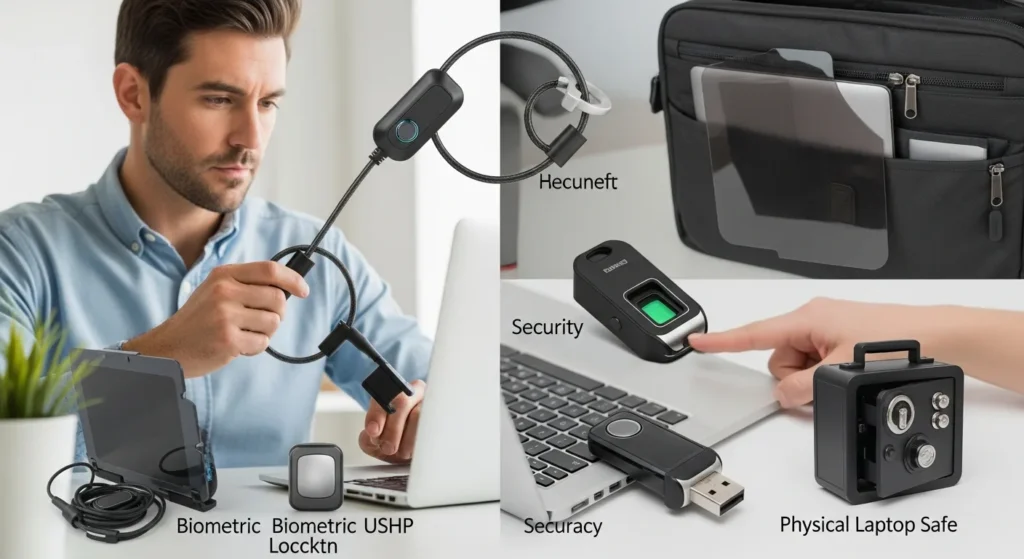
In today’s digital age, laptops are indispensable tools for work, education, and entertainment, making them prime targets for theft. Whether you’re a student, professional, or casual user, losing your laptop can mean more than just the cost of the device—it can lead to data breaches, identity theft, and significant downtime. This comprehensive guide delves into practical strategies and essential gadgets & gear to secure your laptop from theft, ensuring your valuable data and hardware remain protected. From physical locks to advanced software solutions, we’ll cover everything you need to know to keep your laptop safe in various environments, such as cafes, offices, or while traveling. By implementing these measures, you can minimize risks and enjoy peace of mind, knowing your gear is secure against potential threats.
To secure your laptop from theft, use a combination of physical locks like Kensington locks, tracking software such as Prey or Find My Device, strong passwords, and encryption. Always keep your laptop in sight, avoid leaving it unattended, and consider insurance for added protection. These gadgets & gear solutions help deter thieves and recover stolen devices quickly.
Essential Physical Security Gadgets & Gear
Physical security is the first line of defense against laptop theft. Investing in the right gadgets & gear can significantly reduce the risk of your device being stolen. Start with a sturdy laptop lock, such as a Kensington lock, which attaches to a secure anchor point and prevents easy removal. For added protection, use a laptop bag with anti-theft features, like slash-proof materials and hidden compartments. When in public spaces, always keep your laptop in sight and avoid leaving it unattended, even for a moment. Additionally, consider using a privacy screen to shield your screen from prying eyes, which can deter opportunistic thieves. For those who frequently travel, a laptop leather bag for men offers both style and security, often including reinforced straps and locking zippers. By combining these physical measures, you create a robust barrier that makes theft more difficult and less appealing to criminals.
Software Solutions for Tracking and Recovery
If your laptop is stolen, software tools can be invaluable for tracking and recovering it. Install tracking software like Prey, LoJack, or built-in options such as Find My Device for Windows or Find My Mac for Apple devices. These programs allow you to locate your laptop via GPS, take remote photos, lock the device, or even wipe sensitive data to prevent unauthorized access. Ensure the software is set up correctly and regularly updated to maintain functionality. For enhanced security, use encryption tools like BitLocker or FileVault to protect your files, making them inaccessible without a password. Pair this with strong, unique passwords and two-factor authentication for accounts to add layers of defense. In case of theft, having these software solutions in place can increase the chances of recovery and minimize data loss. For more insights on protecting your devices, check out our guide on how to screen record on HP laptop, which includes security tips for recording sensitive information safely.
Best Practices for Laptop Security in Different Settings
Securing your laptop requires adapting to various environments, from coffee shops to offices. Here are key practices to follow:
- In public places: Always keep your laptop within arm’s reach and use a lock if stepping away briefly.
- At home or office: Store your laptop in a locked drawer or cabinet when not in use, and avoid leaving it near windows or doors.
- While traveling: Use a discreet bag and avoid displaying expensive gear; consider travel insurance that covers theft.
- For businesses: Implement policies requiring employees to secure laptops and use tracking software on company devices.
Additionally, be mindful of social engineering tactics—never share your laptop with strangers or leave it unattended in vehicles. Regularly back up your data to cloud services or external drives to mitigate loss if theft occurs. By tailoring your security approach to each setting, you can better protect your gadgets & gear from potential threats. For example, if you use multiple monitors, learn how to connect multiple screens to a laptop securely to avoid exposing sensitive setups in public areas.
Comparing Laptop Security Gadgets & Gear
To help you choose the right tools, here’s a comparison of popular security gadgets & gear:
| Gadget/Gear | Type | Key Features | Best For |
|---|---|---|---|
| Kensington Lock | Physical Lock | Attaches to anchor point, tamper-resistant | Public spaces, offices |
| Prey Tracking Software | Software | GPS tracking, remote data wipe | Recovery after theft |
| Anti-Theft Laptop Bag | Bag/Accessory | Slash-proof, locking zippers | Travel, commuting |
| Privacy Screen | Screen Protector | Limits viewing angles | Public use, confidentiality |
| Encryption Software | Software | Data protection, password-based access | Sensitive data storage |
This table highlights the diversity of options available, allowing you to mix and match based on your needs. For instance, a Kensington lock is ideal for securing your laptop in a library, while encryption software is crucial for protecting financial documents. Consider your lifestyle and risk factors when selecting these gadgets & gear to build a comprehensive security plan. If you’re dealing with hardware issues, our article on common HP sound not working laptop problems solved offers troubleshooting tips that can also help maintain your device’s overall health and security.
Step-by-Step Guide to Setting Up Laptop Security
Follow these steps to secure your laptop effectively:
- Install tracking software: Download and configure a program like Prey or enable built-in options like Find My Device.
- Set up encryption: Use tools like BitLocker (Windows) or FileVault (Mac) to encrypt your hard drive.
- Purchase physical locks: Buy a Kensington lock and practice attaching it to secure points.
- Create strong passwords: Use a password manager to generate and store unique passwords for all accounts.
- Regularly update software: Keep your operating system and security apps up-to-date to patch vulnerabilities.
- Back up data: Schedule automatic backups to cloud services or external drives.
- Educate yourself: Stay informed about new theft techniques and security gadgets & gear.
By following this guide, you’ll establish a layered security approach that deters theft and facilitates recovery if needed. Remember, consistency is key—regularly review and update your measures to adapt to evolving threats. For additional tips on optimizing your laptop’s performance, explore our guide on how to make my laptop not go to sleep, which can help maintain security settings during extended use.
FAQs: How To Secure Laptop From Theft
What is the best gadget to prevent laptop theft?
The best gadget is a Kensington lock, as it physically secures your laptop to a fixed object, making it difficult to steal quickly. Pair it with tracking software for comprehensive protection.
How can I track my stolen laptop?
Use tracking software like Prey or Find My Device, which can locate your laptop via GPS, take remote photos, and lock or wipe data. Ensure it’s installed and activated before theft occurs.
Are laptop bags effective against theft?
Yes, anti-theft laptop bags with features like slash-proof materials and locking zippers can deter thieves. For example, lightweight backpacks for laptops often include security enhancements without adding bulk.
Should I use encryption for my laptop?
Absolutely. Encryption tools like BitLocker or FileVault protect your data by making it unreadable without a password, reducing the risk of data breaches if your laptop is stolen.
What should I do immediately after my laptop is stolen?
Report the theft to local authorities, use tracking software to locate it, change passwords for all accounts, and notify your insurance company if covered. Back up any unrecovered data from cloud backups.
Can insurance help with laptop theft?
Yes, many homeowners, renters, or travel insurance policies cover laptop theft. Check your policy details and consider adding specific gadget insurance for full protection.
How often should I update my security software?
Update your security software and operating system at least monthly, or enable automatic updates, to protect against new vulnerabilities and threats.
Are there free tools to secure my laptop?
Yes, free options include built-in tracking features like Find My Device, open-source encryption software, and basic physical locks. However, paid tools often offer more advanced features.