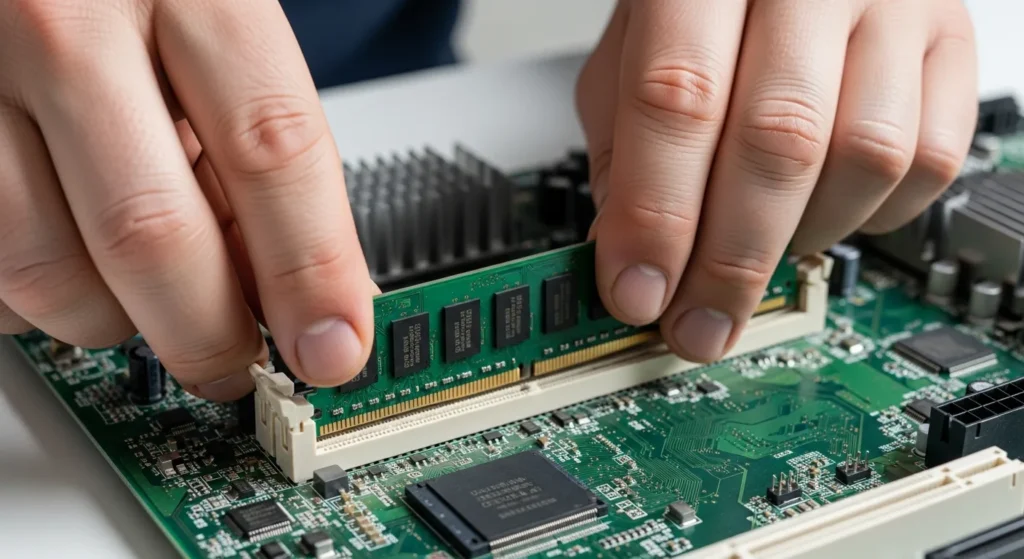
What Exactly is a Computer Memory Unit?
At its most fundamental level, a computer memory unit is the internal workspace of any digital machine. It is where data is kept for immediate use or long-term preservation. Think of it as a professional’s desk; if he needs a document right now, he keeps it on the tabletop (RAM), but if he wants to save a report for next month, he files it away in a cabinet (Hard Drive). In 2026, as applications become more resource-intensive, understanding how these units function is vital for anyone looking to optimize his hardware performance.
A memory unit is responsible for storing both the instructions the computer needs to execute and the data it processes. Without this component, the processor would have nowhere to hold the information it is currently working on, rendering the entire system useless.
The Hierarchy of Memory in Modern Computing
In the world of computer architecture, not all memory is created equal. A developer or engineer often categorizes memory based on speed, cost, and capacity. When a technician builds a system, he must balance these factors to ensure the machine runs smoothly. You can find more details on how these components integrate in our comprehensive guide to computer resources.
- Cache Memory: The fastest and most expensive memory, located directly on or near the CPU.
- Primary Memory: This includes RAM and ROM, which the CPU can access directly.
- Secondary Memory: This refers to external storage like SSDs and HDDs, which hold data permanently.
Primary Memory: The Engine Room
Primary memory is the only type of memory that communicates directly with the processor. When a user opens a program, the computer memory unit loads the necessary files into this space so he can interact with them without lag.
Random Access Memory (RAM)
RAM is volatile, meaning it loses its data as soon as the power is turned off. Its primary job is to provide high-speed access to the data currently in use. For example, when a business professional runs multiple spreadsheets, he relies on his RAM to keep the system responsive. If you have ever wondered if 8GB of RAM is sufficient for modern business, you know that the capacity of the memory unit directly impacts productivity.
Read-Only Memory (ROM)
Unlike RAM, ROM is non-volatile. It contains the essential instructions needed to boot up the computer. Once a manufacturer programs the ROM, the data is generally permanent. It ensures that when a user flips the power switch, his computer knows exactly how to start the operating system.
Units of Measurement: From Bits to Zettabytes
To understand the capacity of a computer memory unit, one must understand the units of measurement. Digital data is stored in binary—zeros and ones. As we move into 2026, the scale of data we handle has shifted from Gigabytes to Terabytes and even Petabytes as standard metrics for enterprise systems.
- Bit: The smallest unit (0 or 1).
- Byte: 8 bits (the amount needed to store a single character).
- Kilobyte (KB): 1,024 bytes.
- Megabyte (MB): 1,024 KB.
- Gigabyte (GB): 1,024 MB.
- Terabyte (TB): 1,024 GB.
Secondary Memory: The Vault
While primary memory is fast, it is also limited in size. This is where secondary memory comes in. It provides a massive, non-volatile space for a user to store his photos, videos, and software for years. Modern Solid State Drives (SSDs) have bridged the gap between speed and capacity, allowing a user to access his stored files almost as quickly as if they were in the primary memory unit.
When a user selects a new laptop, he often prioritizes the size of this unit to ensure he has enough room for his growing digital library. In 2026, NVMe technology has become the standard, offering speeds that were once thought impossible for secondary storage.
Frequently Asked Questions
What is the main difference between volatile and non-volatile memory?
Volatile memory, like RAM, requires power to maintain the stored information. Non-volatile memory, like a hard drive or ROM, keeps its data even when the computer is turned off.
Why does a computer need both RAM and a Hard Drive?
RAM is extremely fast but small and temporary. A hard drive is slower but offers massive, permanent storage. The computer uses RAM for tasks he is doing right now and the hard drive for things he wants to keep for later.
Can I upgrade the memory unit in my computer?
In most desktop computers and some laptops, a user can upgrade his RAM or SSD. He simply needs to ensure the new modules are compatible with his motherboard’s specifications.
Is a computer memory unit the same as a processor?
No. The processor (CPU) is the brain that does the calculations, while the memory unit is the space where the data is held. He works with the memory to get the information he needs to process.