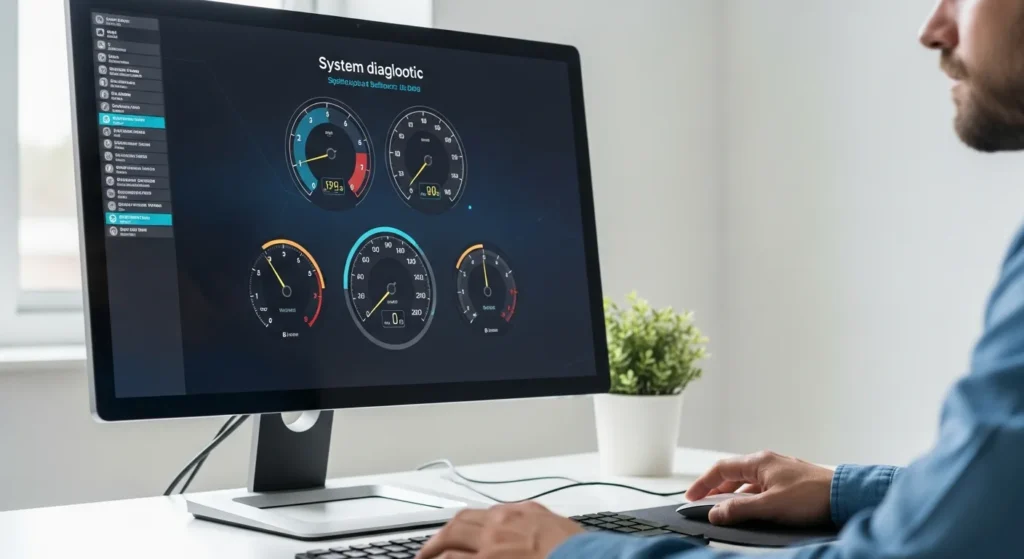
Why Regular Performance Benchmarking Matters
Every power user wants his machine to run at peak efficiency. When he notices a delay in his workflow, his first instinct should be to diagnose the bottleneck. A computer performance test is the most effective way for him to gain a clear picture of his hardware’s health. By running these tests, he can identify whether his processor is struggling under load or if his storage drive is failing to keep up with modern data demands.
In 2026, software requirements have become more intensive than ever. A system that felt fast a year ago might now struggle with background AI processes or high-resolution rendering. By establishing a baseline through benchmarking, he can track his system’s decline or improvement over time, ensuring he always has the power he needs for his daily tasks.
Top Tools for a Comprehensive Computer Performance Test
To get the most accurate results, he must use the right tools for the job. Not all benchmarks are created equal; some focus on raw mathematical power, while others simulate real-world usage like video editing or gaming.
- Cinebench: Excellent for testing the raw rendering power of his CPU.
- 3DMark: The industry standard for checking his graphics card performance.
- CrystalDiskMark: Vital for measuring the read and write speeds of his SSD or HDD.
- PCMark 10: A holistic test that simulates office work, web browsing, and digital content creation.
When a user initiates these tests, he should ensure that all other applications are closed. This allows the benchmarking software to utilize his system’s full resources without interference. He should also pay close attention to thermal readings, as overheating is a common cause of performance throttling.
How to Prepare Your PC Before Testing
Before he begins a computer performance test, he should take several preparatory steps to ensure the results are valid. First, he should check for any pending Windows updates. An update running in the background can significantly skew the results, making his hardware appear slower than it actually is.
He should also verify his hardware configurations. For instance, understanding how a computer memory unit explained in technical terms affects his system can help him realize if his RAM is running at the correct advertised speed in the BIOS. If his memory is underclocked, his benchmark scores will suffer regardless of how expensive his hardware was.
Analyzing the Data: What the Numbers Actually Mean
Once the test is complete, he will be presented with a variety of scores. A high CPU score indicates that his machine can handle complex calculations and multitasking with ease. Conversely, a low score might suggest that his processor is the primary bottleneck in his setup.
He should compare his results with similar hardware configurations online. If his scores are significantly lower than the average for his specific components, he might be facing a software conflict or a hardware defect. For example, he might evaluate if his current laptop with 8GB RAM and an i5 processor is still meeting the benchmarks required for his specific industry or if it is time for an upgrade to a more robust system.
Practical Steps to Boost Performance After Testing
If the computer performance test reveals that his system is lagging, he has several options to rectify the situation. He does not always need to buy a brand-new computer to see an improvement. Sometimes, simple maintenance can restore his PC to its former glory.
Optimize Startup Programs: He should disable any unnecessary applications that launch when he turns on his computer. These programs consume valuable RAM and CPU cycles in the background.
Update Drivers: He must ensure his chipset and GPU drivers are up to date, as manufacturers frequently release optimizations that improve performance in newer software.
Clean the Hardware: Dust buildup can lead to thermal throttling. By cleaning his fans and heatsinks, he can ensure his components stay cool and run at their maximum clock speeds.
Frequently Asked Questions
Does running a performance test damage my computer?
No, a standard computer performance test will not damage his hardware. These tests are designed to push the components to their limits, but modern hardware has built-in safety features that will shut the system down if it gets too hot.
How long does a typical benchmark take?
Depending on the depth of the test, it can take anywhere from five minutes to an hour. A quick CPU stress test is fast, while a full system stability test requires more time to ensure no errors occur under prolonged load.
Should I run tests on battery power or plugged in?
He should always run performance tests while his laptop is plugged into a power source. Most laptops throttle their performance when running on battery to save energy, which would result in inaccurate and lower benchmark scores.
What is the most important score in a performance test?
It depends on his needs. If he is a gamer, the GPU score is paramount. If he is a data scientist or video editor, he should prioritize the multi-core CPU score and his storage drive’s sequential write speeds.