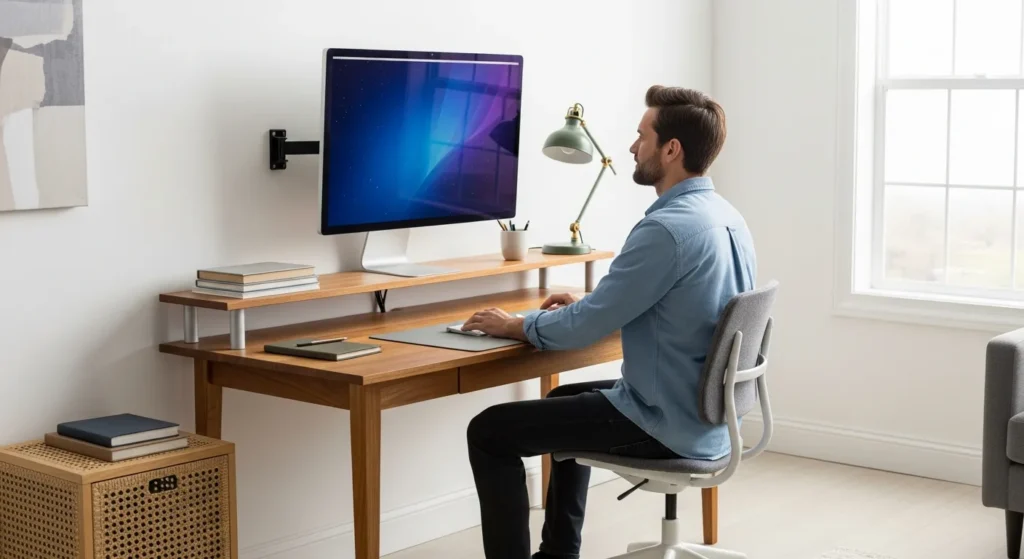
The Shift Toward Minimalist and Ergonomic Workspaces
As we move further into 2026, the modern professional is increasingly focused on decluttering his environment. The desk is no longer just a surface for a computer; it is a command center that requires precision and organization. One of the most effective ways a user can reclaim his desk space and improve his posture is by investing in a computer monitor wall mount. By lifting the screen off the desk, he eliminates the bulky plastic stands that consume valuable real estate.
A wall-mounted setup does more than just look sleek. It allows for a level of adjustability that standard desk stands simply cannot match. Whether a professional is coding, designing, or managing complex data, he needs his screen at the perfect eye level to prevent neck strain and long-term fatigue.
Understanding VESA Compatibility
Before a user purchases a mount, he must understand the industry standard known as VESA (Video Electronics Standards Association). Most modern displays feature a square or rectangular hole pattern on the back specifically designed for mounting. He should measure the distance between these holes in millimeters—typically 75x75mm or 100x100mm for standard monitors.
If his monitor does not have these holes, he may need a VESA adapter kit. Ensuring compatibility is the first step in creating a secure and stable setup. A high-quality mount will provide the peace of mind he needs, knowing his expensive hardware is safely anchored to the wall.
Types of Computer Monitor Wall Mounts
Choosing the right mount depends on how the user intends to interact with his screen. There are three primary categories to consider:
- Fixed Wall Mounts: These hold the monitor close to the wall in a stationary position. This is ideal for a user who has a dedicated seating position and does not need to move his screen frequently.
- Tilting Mounts: These allow the user to angle the screen downward or upward. This is particularly useful if he mounts the monitor slightly above eye level to reduce glare from overhead lights.
- Full-Motion (Articulating) Mounts: These feature an arm that can extend, swivel, and rotate. This is the ultimate choice for a professional who needs to connect multiple monitors to a laptop and requires the flexibility to shift screens when collaborating with a colleague or changing his sitting-to-standing posture.
Ergonomic Benefits and Physical Health
The primary reason a professional opts for a wall mount is health. When a man sits at a desk for eight hours a day, his posture often suffers. A fixed stand often forces him to look slightly downward, leading to a condition often called “tech neck.” By using a wall mount, he can position the top third of the screen at eye level, encouraging his spine to remain in a neutral alignment.
For those who are exploring different ways to stay active while working, a wall mount pairs perfectly with other ergonomic tools. While some might consider a riser desk to change their working height, a wall mount provides a permanent, stable solution that keeps the monitor at the correct focal distance regardless of the desk’s position.
Key Installation Tips for a Secure Setup
Installing a computer monitor wall mount requires precision. A user should never mount a heavy display directly into drywall alone. He must locate the wooden studs behind the wall using a stud finder to ensure the mount is anchored into a solid structure.
He should also consider cable management. Many premium mounts come with integrated clips or channels to hide wires. This keeps his workspace looking professional and prevents cables from snagging when he adjusts the arm. He should ensure he has enough slack in his HDMI and power cables to allow for the full range of motion if he is using an articulating arm.
Frequently Asked Questions
Can any monitor be wall mounted?
Most monitors can be wall-mounted if they have a VESA-compliant hole pattern on the back. If a monitor lacks these holes, the user will need a special VESA adapter bracket to secure it to a mount.
Is it better to wall mount or desk mount a monitor?
Wall mounting is superior for saving desk space and providing a cleaner aesthetic. However, a desk mount is easier to install and does not require drilling into the walls, making it a better option for those in rental properties.
How high should I mount my monitor on the wall?
The user should mount his monitor so that his eyes are level with the top third of the screen. This allows him to look slightly downward at the center of the display, which is the most natural and comfortable position for the human eye.
Will a wall mount damage my wall?
If installed correctly into studs, the damage is limited to a few small screw holes. These can be easily patched with spackle if he decides to move his setup in the future. He should always use the hardware provided by the manufacturer to ensure a safe fit.