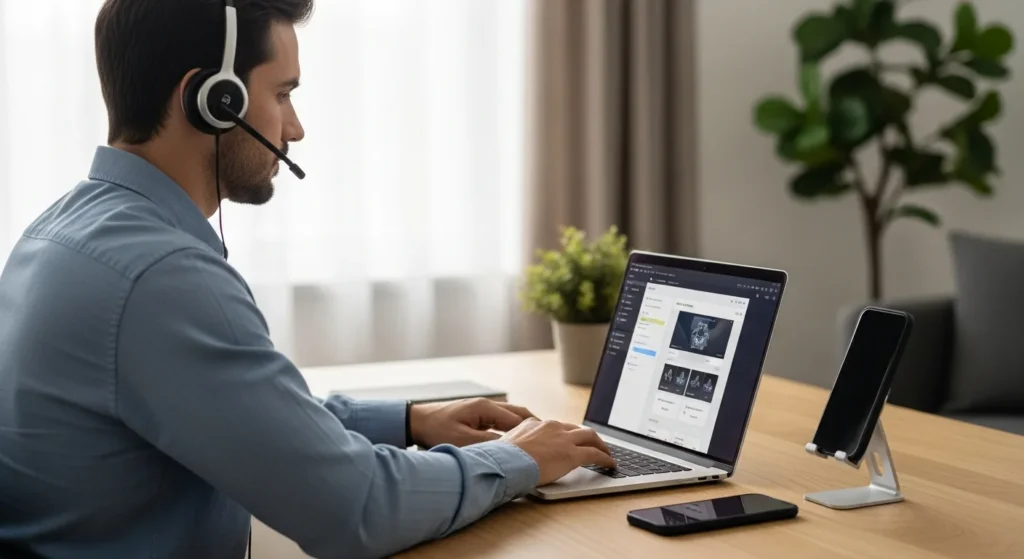
The Evolution of Desktop Communication
In 2026, the boundary between a mobile device and a workstation has almost entirely vanished. For the modern professional, the ability to call a phone from a computer is no longer just a luxury—it is a fundamental requirement for his workflow. By centralizing his communication, he can manage his reach-outs without ever breaking his focus or looking away from his primary screen.
Whether a man is looking to save on international roaming fees or simply wants to use his high-quality desktop microphone for a clearer conversation, the technology available today makes the process seamless. From native operating system features to advanced cloud-based platforms, there are multiple ways for him to bridge the gap between his PC and the cellular network.
Native Solutions for Windows and Mac
Most users do not realize that they already possess the tools needed to make calls right within their operating system. Both Microsoft and Apple have invested heavily in ecosystem continuity, allowing a man to sync his smartphone directly to his desktop environment.
Using Windows Phone Link
For the man using a PC, the Phone Link app is the primary gateway. Once he has paired his Android or iOS device via Bluetooth, he can access his entire contact list and dial numbers using his keyboard. The audio is routed through his computer speakers or headset, allowing him to keep his hands free for note-taking. This setup is particularly useful for a professional who spends his day in spreadsheets or design software and needs to take quick calls without fumbling for his phone.
Using Apple Continuity on Mac
Mac users enjoy a similar level of integration through Continuity. If a man has his iPhone and Mac signed into the same iCloud account, he can initiate calls directly from the FaceTime app or by clicking a phone number in Safari. This utilizes his iPhone’s cellular plan but leverages the Mac’s hardware for the interface. It is a streamlined experience that ensures he never misses a vital connection while he is deep in his creative tasks.
Top VoIP and Third-Party Services
Beyond native OS features, Voice over Internet Protocol (VoIP) services offer standalone functionality that does not always require a physical smartphone to be nearby. These services assign a digital number to the user, which he can use to call landlines and mobile phones globally.
- Google Voice: A popular choice for those in the United States, providing a man with a free secondary number for personal or business use.
- Skype: While an older player in the market, it remains a robust option for international calling at competitive rates.
- Zoom Phone: Ideal for the enterprise user who wants to integrate his voice calls into his existing video conferencing suite.
- AI-Powered Solutions: For businesses looking to scale, exploring modern ai outbound calling agents solutions can automate and optimize how he reaches his clientele.
Why Professionals Use Desktop Calling
The shift toward computer-based calling is driven by more than just convenience. It is about data management and professional ergonomics. When a man uses his computer to place a call, he can easily record the session (where legal), log the duration, and integrate the data with his existing software stack.
Understanding why a dedicated crm phone system is important is crucial for any business owner. By routing calls through his computer, he ensures that every interaction is captured within his customer relationship management tool. This allows him to maintain a detailed history of his client interactions, ensuring that he is always prepared for his next follow-up. Furthermore, using a computer allows him to utilize professional-grade audio interfaces, ensuring he sounds authoritative and clear to his listeners.
Hardware Requirements for a Better Experience
To get the most out of calling from a computer, a man should consider his hardware setup. While a standard laptop microphone might suffice for a quick chat, a dedicated USB headset or a condenser microphone will significantly improve his vocal presence. He should also ensure his internet connection is stable; a wired Ethernet connection is always preferable to Wi-Fi to prevent jitter or dropped packets during his important business discussions.
Frequently Asked Questions
Can I call a phone from my computer for free?
Yes, services like Google Voice allow a man to make free calls to most numbers in the U.S. and Canada. Other apps like WhatsApp or Telegram allow free computer-to-app calls, but calling a standard landline usually requires a small fee or a subscription.
Do I need a SIM card in my computer to make calls?
Generally, no. Most methods use your existing smartphone’s cellular connection via Bluetooth/Wi-Fi or use an internet-based VoIP service that doesn’t require a physical SIM card in the PC itself.
Is the call quality as good as a regular phone?
In many cases, it is better. If a man uses a high-quality headset and a stable fiber-optic internet connection, the audio fidelity often surpasses that of a standard cellular connection, especially when using HD voice protocols.
Can I receive calls on my computer as well?
Absolutely. Once he has set up Phone Link, FaceTime, or a VoIP service, incoming calls will trigger a notification on his desktop, allowing him to answer using his computer’s audio system.